Writeups // Article
Management Wants a Word | TryHackMe Room Writeup
A walkthrough of Management Wants a Word, a TryHackMe Windows forensics room involving a KAPE dump, cracked local credentials, DPAPI master keys, Chrome secrets, and a VeraCrypt container hiding the flag.
Walkthrough quick reference
Distinctive clues, files, accounts, and techniques covered in this solution:
- KAPE triage
- SAM & SYSTEM hives
- NT hash (minivera)
- DPAPI master key
- Chrome AES-GCM key
- Saved Chrome credential
- VeraCrypt container
- Invoice flag
Welcome to my writeup for the TryHackMe room Management Wants a Word, part of the Hacker Holidays series. This one was a Windows forensics chain rather than a live web exploit: I had to work through a KAPE dump, recover Vera’s local credentials, decrypt her DPAPI material, pull a Chrome password, and finally open a VeraCrypt container that held the flag.
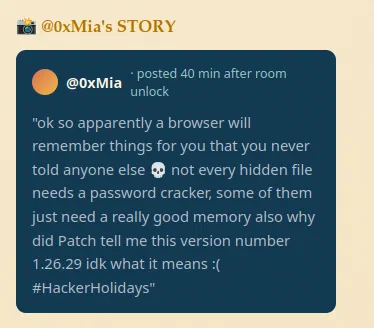
The hint from MIA pointed in the right direction immediately: the browser remembers secrets you never explicitly told it, and the version number she mentioned was a clue that a Chromium-based artifact mattered.
Spoiler warning: This walkthrough reveals the full solution path, but the final flag is masked.

Triage
The supplied evidence looked like a full Windows triage image extracted with KAPE. The first useful step was just to inventory the dump and confirm the expected Windows artifacts were present.
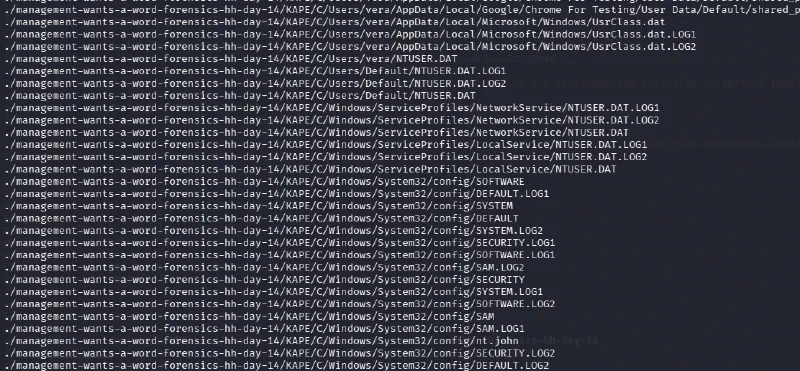
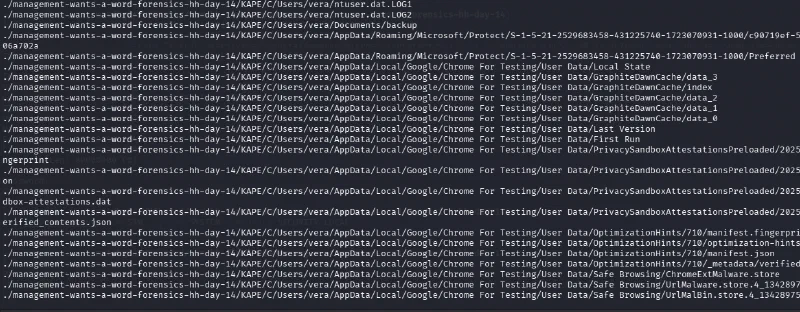
The presence of Users, Windows, SAM, SYSTEM, and Vera’s profile told me this was enough to do offline credential recovery. I moved into the registry hive directory and confirmed the hive set was intact, including a file named nt.john that looked like a prepared hash-cracking target.

Cracking Vera’s Local Password
With the SAM and SYSTEM hives in place, I used Impacket’s secretsdump locally to extract the NT hash for Vera:
impacket-secretsdump -sam SAM -system SYSTEM LOCAL
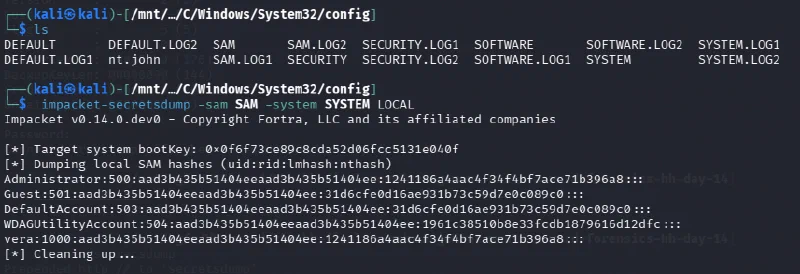
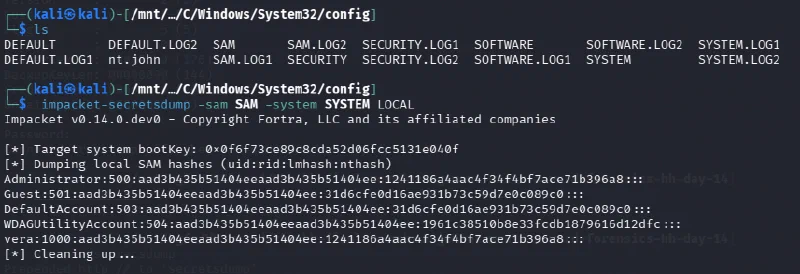
The hash for vera was:
vera:1000:aad3b435b51404eeaad3b435b51404ee:1241186a4aac4f34f4bf7ace71b396a8:::
I dropped that into John with RockYou:
echo 'vera:$NT$1241186a4aac4f34f4bf7ace71b396a8' > nt.john
john --format=nt --wordlist=/usr/share/wordlists/rockyou.txt nt.john
John returned the password quickly:
minivera
That password was the key to the next layer.
Decrypting the DPAPI Master Key
The next artifact was Vera’s DPAPI master key blob under her Protect directory:
C/Users/vera/AppData/Roaming/Microsoft/Protect/S-1-5-21-2529683458-431225740-1723070931-1000/c90719ef-5b98-474e-b934-136d606a702a
I used Impacket’s DPAPI helper with the SID and the cracked password:
impacket-dpapi masterkey -file "C/Users/vera/AppData/Roaming/Microsoft/Protect/S-1-5-21-2529683458-431225740-1723070931-1000/c90719ef-5b98-474e-b934-136d606a702a" \
  -sid "S-1-5-21-2529683458-431225740-1723070931-1000" \
  -password minivera
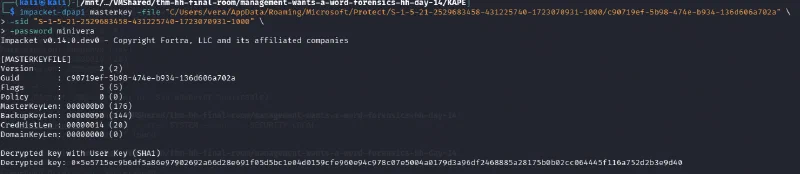
The decrypted master key was:
0x5e5715ec9b6df5a86e97902692a66d28e691f05d5bc1e04d0159cfe960e94c978c07e5004a0179d3a96df2468885a28175b0b02cc064445f116a752d2b3e9d40
Pulling the Chrome Password
The clue about Chrome was the important one. Vera’s Local State file held the browser’s encrypted AES key, and that key was wrapped with DPAPI. Once the master key was available, the browser secret could be recovered offline.
I used a small Python script to extract the Chrome key from Local State and decrypt the Login Data database. The interesting result was a saved login for the Byte Lotus host:
URL:      http://bytelotus.thm:8080/
Username: VeraSecretVault
Password: Wh4t1sV3raD0inG0nTh1sH0st
That was the credential I needed for the encrypted container.
Opening the VeraCrypt Container
The password pointed to a VeraCrypt volume stored in Vera’s documents. I opened it with cryptsetup using the VeraCrypt mode:
sudo cryptsetup open --type tcrypt --veracrypt "C/Users/vera/Documents/backup" veracontainer
sudo mkdir -p /mnt/veradata && sudo mount -o ro /dev/mapper/veracontainer /mnt/vera

The mounted volume exposed a small set of folders, including a directory that looked deliberately financial and private.
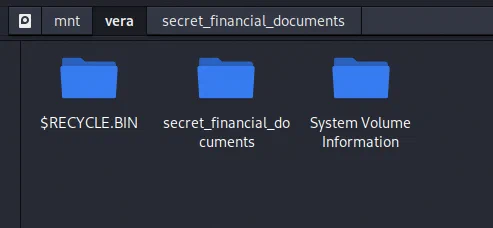
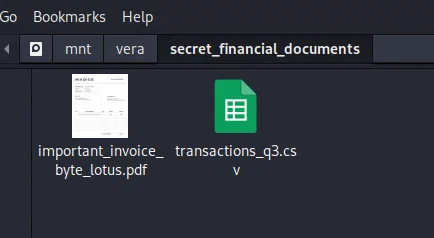
Inside it, I found the documents that mattered most: an invoice PDF and a CSV export of transactions.
Finding the Flag
Opening important_invoice_byte_lotus.pdf revealed the final flag embedded in the invoice body.
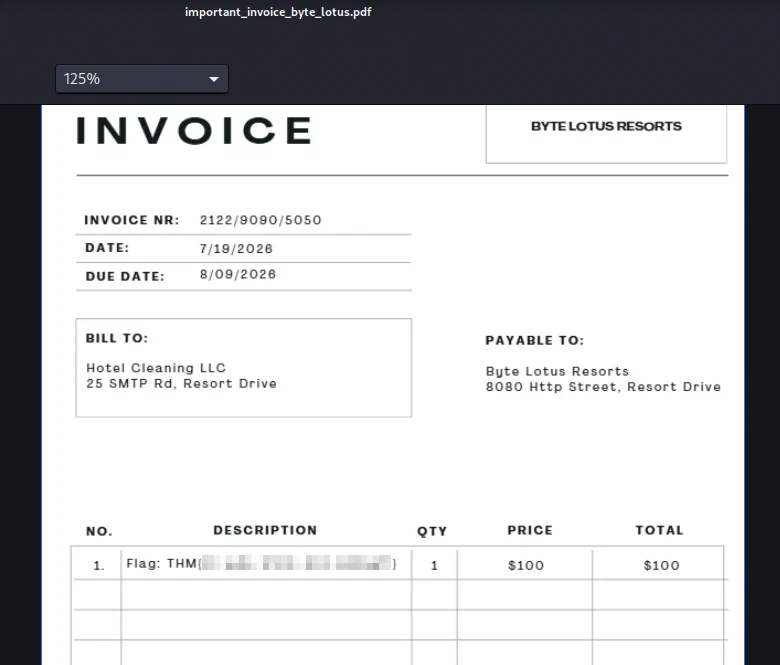
The flag was present in the invoice text, and that closed out the room.
Takeaways
This room was a good reminder that Windows forensics often works as a chain rather than a single trick. A local NT hash led to a DPAPI master key, that key unlocked Chrome secrets, and the browser secret opened a container with the final evidence.
The main lesson for me was that the obvious path is not always the hard one: once the triage dump was mapped out, the rest was just following each artifact to the next.